Land Claiming
OstrichCraft marks the debut of a new land claiming system! This page will tell you everything you need to know about it. Building in groups is encouraged (and more financially viable), and as the owner/initiator of a land claim, you should know the following:
Getting Started
To make your first land claim, you will need 4 Diamonds in your inventory.
Stand in the area you want to claim and do /lands create to begin! You'll be prompted to name the land, but you can always change it later. This will do an initial land claim of 9 chunks (a 3x3 square).
Land Management
Access the central menu by doing /lands (or even /l for short!)
From here, you can add members, rename your land, and edit a variety of permission settings.
More detailed management tips
Invite Your Friends!
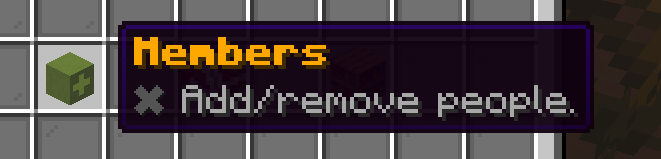
Navigate to Land > Player Management > Members to add people.
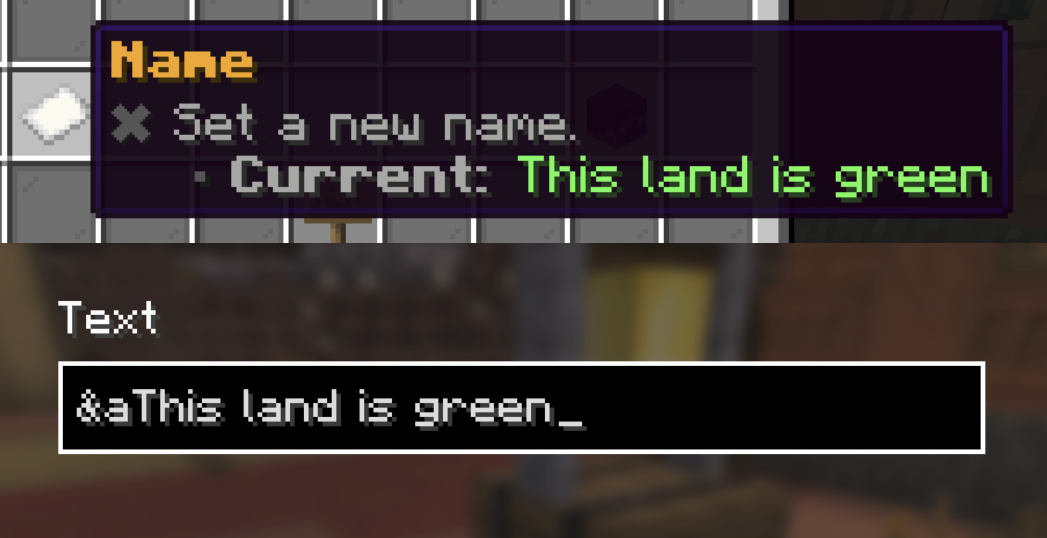
Rename Your land! (& choose its colour)
Navigate to Land > Miscellaneous Settings > Name to rename your land. Choose its colour by adding a Minecraft Formatting Code.
| Code | Color |
|---|---|
| &0 | Black |
| &1 | Dark Blue |
| &2 | Dark Green |
| &3 | Dark Aqua |
| &4 | Dark Red |
| &5 | Dark Purple |
| &6 | Gold |
| &7 | Gray |
| &8 | Dark Gray |
| &9 | Blue |
| &a | Green |
| &b | Aqua |
| &c | Red |
| &d | Light Purple |
| &e | Yellow |
| &f | White |
Claim More Land
You can expand your claim into adjacent chunks by standing in one and doing /claim. Each individual chunk will cost 1 Diamond.
Command List
There are a few simple commands that will help you use the new land claiming system to its full potential.
Essentials
/lands— Displays the main menu/claim— Claims the chunk you're currently standing in. (PressF3 + Gto see chunk borders)/view— Displays nearby land borders in-game.
Advanced
/unclaim— Unclaims the chunk you're currently standing in. You may get a partial refund of the Dim you paid for that chunk :)/lands edit [land name]— Only relevant to those who are members of more than one land claim. This selects which land all your subsequent actions like /claim are excecuted for./lands delete [land name]— Deletes the land with the specified name. (Be careful with this one!)/lands setowner [player]— Transfers ownership of the entire land to a new player.